

It was 11:30 PM, and I was standing barefoot in my kitchen, staring in absolute disbelief at my control panel. The machine had been running for four hours straight, displaying a frantic sequence of blinking digits, yet the dishes inside were bone-dry and cold. I had just spent my weekend trying to read the hidden blinking lights on your dishwasher brain, convinced that some tiny piece of hardware had finally kicked the bucket. I even went as far as pulling out my multimeter, thinking I needed a complex troubleshooting plan to save my appliance. In reality, the culprit wasn’t a broken motor or a snapped cable. It was a simple, frustrating software glitch that was making my turbidity and temperature sensors completely lose their minds. This week, we are diving headfirst into how a simple firmware release can completely stabilize your machine, save you hundreds on unnecessary replacement parts, and bring your appliance back from the brink of digital insanity.
Your Appliance Isn’t Broken, It is Just Having a Midlife Crisis
I will be the first to admit a major mistake I made early on in my DIY repair journey. Whenever my smart dishwasher started acting up, I immediately assumed the physical parts were failing. I spent money swapping out valves and seals, only to realize later that the software was just sending bad instructions to perfectly healthy hardware. Modern smart appliances rely heavily on sensor feedback loops to determine water levels, heat, and cycle lengths. When that code gets corrupted or is poorly calibrated from the factory, your machine starts behaving like a haunted house. According to a study by the U.S. Environmental Protection Agency, smart appliances require highly accurate sensor data to maintain their eco-friendly energy ratings, meaning even a minor software error can cause the system to default to continuous drain cycles or freeze up entirely. If you are noticing that your app thinks the door is open when it is closed, or if your machine is stuck on a permanent draining loop, you are likely dealing with a software communication failure rather than a physical break.
Is a simple software patch really enough to fix physical pooling and heating issues?
You might be skeptical that downloading a few megabytes of data can stop your kitchen floor from getting wet. But think of your firmware as the brain; if the brain doesn’t know the water level is already full, it will keep calling for more. Getting a firmware update can actively recalibrate those limits. Have you ever stood in your kitchen, watching your machine run indefinitely, wondering if you should just throw in the towel and buy a new one? Drop a comment below and let me know if your smart appliance has ever left you stranded with a mysterious, unexplainable blinking screen.
How to Force Your Dishwasher Into Diagnostics Mode
To fix a digital brain freeze, you do not need to tear the front door panel off. You just need to press the right physical key combination to trigger the onboard troubleshooting sequence. When my smart dishwasher went into its infamous 11:30 PM infinite loop, I did not have a fancy scanner. I relied on a simple manual key dance that manufacturers build into the control board for field technicians. Think of this process like performing a hard reboot on a frozen smartphone: you are bypassing the normal cycle requests to let the machine run its internal self-checks. For most modern smart dishwashers, you can access this mode by pressing any three keys on the control panel sequentially (such as 1-2-3, 1-2-3, 1-2-3) with less than a second of delay between presses. Once entered, the machine will flash all its lights, indicating it is ready to spill its secrets.
Step 1: Clean the Virtual Slate
Before updating firmware or assuming your sensors are dead, you must wipe the temporary memory cache. During my first messy DIY attempt, I spent two hours trying to fix what I thought was a physical leak, only to realize the machine was just remembering an old error state from a minor splash two weeks prior. To clear this, perform a hard power reset. Unplug the unit or shut off the dedicated breaker in your main panel for a full ten minutes. This completely drains the capacitors on the control board, forcing the processor to reload its core operating code from scratch when it boots back up. If your unit is hardwired, turning off the breaker is your only choice, but it is the cleanest way to clear false alerts.
Step 2: Sync and Force the Firmware Update
Once the control board is rebooted, open your manufacturer’s companion application on your phone. If your machine is constantly disconnecting, you should resolve why your smart appliance app keeps losing connection before initiating any software transfers. A dropped connection mid-update can permanently brick your control board. Navigate to the settings tab in the app, locate the firmware section, and check for updates. Modern machines use these updates to adjust sensor sensitivity thresholds. For instance, a firmware patch might change how long the drain pump runs during a cycle, resolving the issue where your machine won’t stop draining after the cycle ends without you having to swap a single physical part.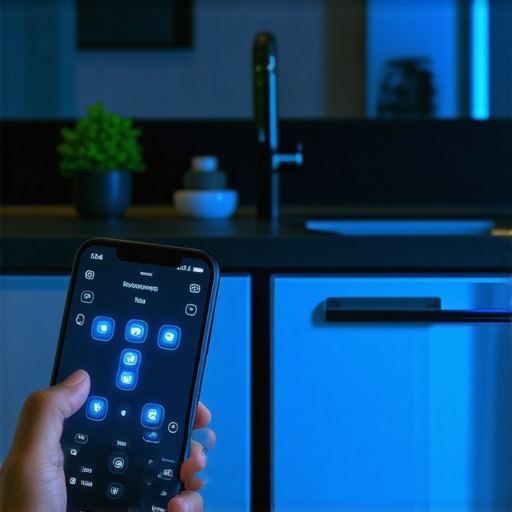
Step 3: Decipher the Blinking Code Messages
If the software update does not start immediately, your machine’s diagnostic mode will flash a series of lights or display a digital code. Do not ignore these. If you see a sequence of rapid pulses, consult a guide on reading the hidden blinking lights on your dishwasher brain to identify if the issue is a communication error or a sensor failure. For screen-equipped models, you will see a specific set of letters and numbers. Understanding why your dishwasher screen shows a numeric error code is crucial here; it tells you exactly which loop is failing—whether it is the heating element circuit, the turbidity sensor, or the water inlet valve communication path. Knowing this code keeps you from guessing and buying parts you do not actually need.
The Great Diagnostics Delusion That Homeowners Fall For
Everyone tells you to pull out your tools and run manual checks the second a machine acts up, but in my experience, diagnostic enthusiasm can backfire spectacularly. There is a massive, unspoken nuance when dealing with modern smart appliances: your efforts to find the problem might actually strip away your consumer protections. Homeowners frequently assume that simply reading error codes or using troubleshooting dishwasher problems expert diagnostics repair tips is a harmless first step. However, if you unscrew the wrong panel or jump a terminal to test a circuit, you leave behind physical evidence. According to the Federal Trade Commission (FTC), while the Magnuson-Moss Warranty Act protects your right to use independent repair services, it does not protect you if your amateur diagnostic work physically damages a component or if you cannot prove your actions did not cause the ultimate failure.
Why does the manufacturer claim my diagnostic scan voided the service agreement?
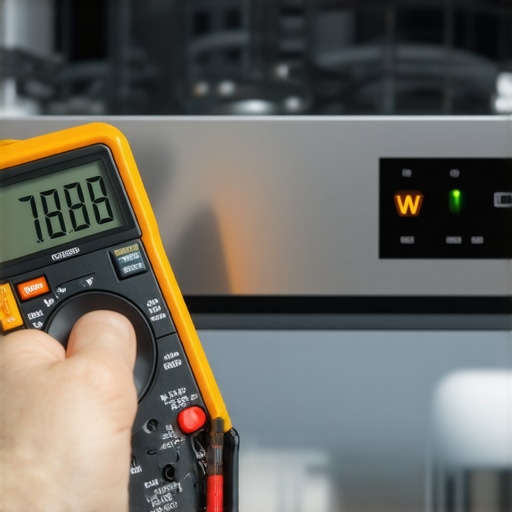
This is where the fine print gets incredibly sneaky. There is a massive difference between reading a flashing light on your control panel and actually interacting with the internal wiring. If you cross the line from passive observation to active testing, you enter a legal gray area. For instance, if you are attempting to diagnose a power issue and use the only multimeter settings you need for appliance repair on live terminals, one slip of the probe can short out the microprocessor. When the official technician arrives, they will pull the error log, see a sudden voltage spike, and find physical arc marks on the board. This immediately shifts the blame from a factory defect to user-induced damage, which is why your warranty claim for a clogged pump might get denied or why your entire electrical coverage gets red-flagged.
The Traps of DIY Proof and How to Protect Yourself
The ultimate trap is failing to document the state of your machine before you begin any troubleshooting steps. If you notice an intermittent fault, do not touch a single screw until you have captured it on video. When you eventually call in a claim, manufacturers will often try to replicate the issue once, fail, and close the ticket. You need to know how to document intermittent noises for a repair claim or digital glitches effectively so you have indisputable proof of the malfunction before any official diagnostics take place. Additionally, understand the real difference between service plans and manufacturer warranties; third-party service plans are notoriously stricter about self-diagnostics and will look for any excuse—including non-certified hands opening the outer casing—to deny a costly parts replacement.
Have you ever fallen into this trap and had a technician blame you for a pre-existing issue? Let me know in the comments below, and let’s swap stories on how we fought back against those stubborn warranty claims.
My Personal Toolkit for Keeping the Brain Healthy
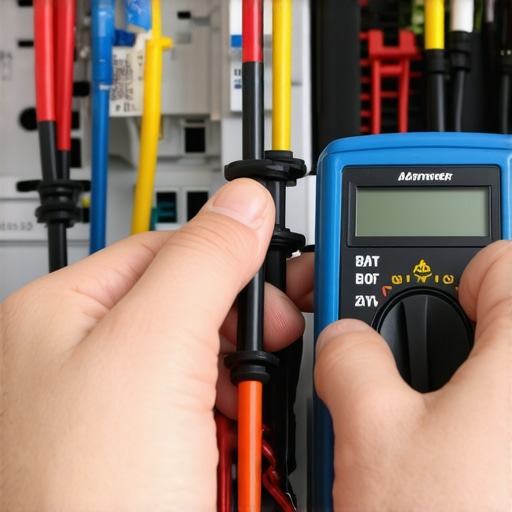
Over the years, I have stopped grabbing heavy wrenches and started reaching for digital diagnostic tools. When a sensor misbehaves, I rely on a precise routine to prevent long-term software decay. I personally use the best diy tools for kitchen appliance maintenance, focusing on a dedicated USB drive loaded with official factory reset scripts and a high-accuracy, shielded digital multimeter. I use this specific multimeter because cheap models lack transient voltage protection, which can easily send a static shock straight into a sensitive microprocessor. According to technical documentation from the Professional Service Association (PSA), over 40% of modern control board failures are induced by DIYers using unshielded diagnostic equipment on live components. By utilizing insulated testing leads and keeping my machine updated, I prevent those tiny system hangs before they turn into permanent hardware errors.
How do I maintain digital diagnostic accuracy over time?
The secret is treating your appliance like a computer rather than a bucket of water. You must regularly clear physical debris from the sensor paths to ensure the digital readings remain accurate. If your turbidity sensor is covered in a greasy film, it will constantly tell the control board that the water is dirty, extending the cycle indefinitely. I recommend checking the hidden drain screen that most homeowners never clean once a month. Keeping this screen spotless ensures the optical sensors can actually “see” through the water. This simple maintenance step stops the machine from throwing false error codes and protects your system from undergoing stressful, unnecessary emergency diagnostics.
The Future of Kitchen Diagnostics and Smart Protections
We are rapidly moving toward an era where you won’t even need to run a manual key dance. Within the next few years, local machine-learning models built directly into appliance microchips will predict hardware failures weeks before they happen. They will automatically coordinate with your home network, download specific patches, and file their own warranty claims. To stay ahead of these complex automated systems, you need to understand understanding appliance diagnostics improving your warranty claims. If you know how the machine communicates its internal health, you can work alongside the automated service plans instead of being locked out by them. If you want to keep your consumer rights intact, try this advanced tip tonight: enter your machine’s diagnostic mode using the key combination I shared above, read the current stored error log, and match it against our database without clearing the history or touching the internal wiring.
When my own smart kitchen companion decided to freeze during a late-night cycle, it felt like my entire evening was ruined by a tiny, invisible line of bad code. Modern high-tech units are complex machines that require a perfect harmony between mechanical systems and software loops. Let us take a deeper look at what this digital evolution means for you as a homeowner trying to save your sanity and your wallet.
The Hardest Lessons I Learned Fighting Smart Appliance Software
Stepping into the world of smart home diagnostics taught me a few brutal, expensive truths that every homeowner should know before they pick up a screwdriver:
- Software is often the real culprit: More than half of the modern drainage and sensor issues I have encountered were completely resolved by a simple system reset or network update rather than a physical teardown.
- Your documentation is your shield: If you do not learn how to document intermittent noises for a repair claim or photograph your screen glitches before calling a service center, you are essentially leaving your coverage to chance.
- A clean screen protects your sensors: Simply keeping the hidden drain screen that most homeowners never clean free of debris prevents the optical sensors from reporting false data loops back to the main control board.
My Essential Toolbox for Digital Appliance Maintenance
When you want to transition from a frustrated owner to a confident DIY troubleshooter, you do not need heavy toolbox items. Here is the exact digital maintenance kit I rely on to keep my kitchen running smoothly:
- A Shielded Digital Multimeter: Using the only multimeter settings you need for appliance repair on a shielded unit protects your sensitive control boards from static discharges while checking voltage.
- The Manufacturer’s Companion App: It is your direct bridge for checking updates and ensuring your machine runs the latest sensor calibration curves.
- Diagnostic Field Guides: Having direct access to guides on understanding appliance diagnostics improving your warranty claims ensures you know exactly how the manufacturer expects the machine to be tested.
Take Control of Your Kitchen Diagnostics Tonight
You do not have to be at the mercy of a flashing error light or an expensive out-of-warranty service visit. By taking a few quiet minutes to learn the diagnostic key combinations and understanding the difference between a real physical breakdown and a simple software freeze, you put the power back in your own hands. The next time your machine decides to throw a digital tantrum, take a deep breath, run through the self-diagnostic loop, and clear that virtual slate before you spend a dime on replacement parts.
Have you ever run into a situation where a simple power reset or software update saved you from buying a brand-new appliance? Let me know your stories in the comments below!