

There I was, standing in my kitchen in my pajamas at midnight, staring at a blinking blue light on my dishwasher door like it was some kind of cryptic SOS signal from a sinking ship. I’d just spent twenty minutes carefully loading the racks, only for the app to tell me my machine was ‘offline.’ I wanted to use the delayed start for those cheaper off-peak electricity hours, but my expensive ‘smart’ appliance was suddenly playing dumb. It is a specific kind of modern torture when the very tech meant to save you time ends up costing you an hour of troubleshooting on a Tuesday night. I’ve been there, and I know exactly how much you want to just give up and go back to a manual dial. Today, I am going to walk you through why this happens and how we can keep that connection rock-solid so you can finally stop [troubleshooting dishwasher problems](https://applianceoutletpro.com/troubleshooting-dishwasher-problems-expert-diagnostics-repair-tips) and start actually relaxing. Have you ever found yourself shouting at your phone because your dishwasher decided to go ‘incognito’ right when you needed it most? Let me know in the comments, because I’ve definitely had those ‘I’m buying a 1990s model’ thoughts myself.
The Kitchen Wall: Why Your Signal Can’t Get Through
The biggest mistake I made early on was assuming my home Wi-Fi was fine because my phone had ‘three bars’ in the kitchen. I didn’t realize that a smartphone is significantly better at hunting for signals than the tiny, cheap Wi-Fi chip tucked behind a thick stainless steel dishwasher door. I once spent way too long trying to [recalibrate my turbidity sensor manually](https://applianceoutletpro.com/how-to-recalibrate-your-turbosity-sensor-manually) because I thought the lack of app updates meant a hardware failure. In reality, the signal just couldn’t punch through the metal. Most smart appliances operate on the 2.4GHz frequency, which is great for range but terrible for interference. According to the Wi-Fi Alliance, the 2.4GHz band is increasingly congested by everything from baby monitors to your neighbor’s router, which leads to the frequent ‘drops’ we see in kitchen environments. Sometimes, [why your smart home hub is blocking appliance commands](https://applianceoutletpro.com/why-your-smart-home-hub-is-blocking-appliance-commands) is simply a matter of the hub and the dishwasher being on different wavelengths or the hub being overwhelmed by too many ‘handshakes’ at once.
Is all this ‘smart’ tech actually worth the constant headache?
It’s a fair question. When you’re staring at an unresponsive screen, it feels like a gimmick. However, when it works, it’s great for [reducing energy costs by timing your dishwasher cycles correctly](https://applianceoutletpro.com/reducing-energy-costs-by-timing-your-dishwasher-cycles-correctly). The key is stability. If your connection is flaky, you run the risk of bigger issues, like [why your appliance firmware update just bricked the control board](https://applianceoutletpro.com/why-your-appliance-firmware-update-just-bricked-the-control-board) because the internet cut out in the middle of a critical software patch.
Your Microwave is Stealing Your Dishwasher’s Internet
It sounds like a conspiracy theory, but it’s basic physics. Microwaves operate on the same 2.4GHz frequency as most smart dishwashers. If your dishwasher drops its connection every time you heat up a cup of coffee, you’ve found your culprit. This is why [the real reason your dishwasher won’t start](https://applianceoutletpro.com/the-real-reason-your-dishwasher-wont-start) through the app might not be a broken motor, but just bad timing with your lunch. If you find the controls are completely frozen after a drop, you might need to try [the one-minute move to reset your control board](https://applianceoutletpro.com/the-one-minute-move-to-reset-your-control-board) to get things talking again. We’re going to look at how to shield your connection next.
Boost the Signal Without Ripping Out Your Cabinets
If you can’t move the dishwasher—and let’s face it, nobody wants to replumb a kitchen just for Wi-Fi—you have to make the signal louder. Think of your router like a person trying to yell through a thick steel door. If there’s too much background noise, the message gets lost. I remember a Saturday morning when my dishwasher just wouldn’t connect, even though I’d just finished [reducing energy costs by timing your dishwasher cycles correctly](https://applianceoutletpro.com/reducing-energy-costs-by-timing-your-dishwasher-cycles-correctly) for the week ahead. I realized my router was tucked behind a heavy entertainment center in the next room. By simply elevating the router and switching it to a less crowded 2.4GHz channel—usually channel 1, 6, or 11—I cut through the digital ‘static.’ 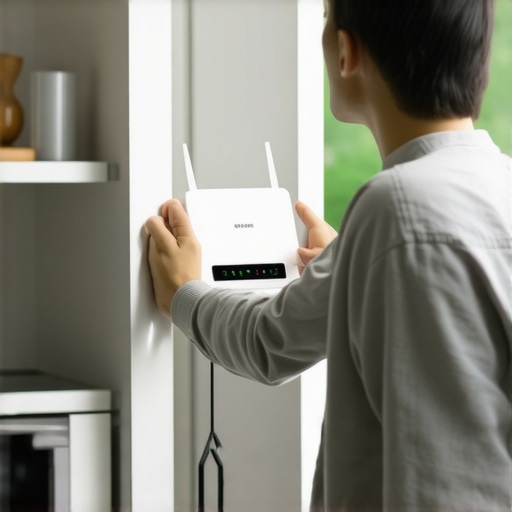
Flush the Digital Pipes
Sometimes the issue isn’t the signal; it’s the ‘brain’ of the machine getting clogged with bad data. Just like your phone gets sluggish when you have a hundred tabs open, [why your smart appliance needs regular software cache clears](https://applianceoutletpro.com/why-your-smart-appliance-needs-regular-software-cache-clears) is about preventing digital gridlock. Last winter, I thought my control board had finally fried. I was already looking up [how appliance diagnostics can save your warranty benefits](https://applianceoutletpro.com/how-appliance-diagnostics-can-save-your-warranty-benefits) because I didn’t want to pay for a new board out of pocket. Before calling a pro, I deleted the app, cleared the local storage on my phone, and performed [the one-minute move to reset your control board](https://applianceoutletpro.com/the-one-minute-move-to-reset-your-control-board) by cutting the power at the breaker. When it booted back up, it synced instantly. It wasn’t a hardware failure; it was just a software ‘hiccup’ that needed a hard reset.
Know When to Stop Tinkering and Call for Help
There is a fine line between a DIY win and accidentally voiding your protection. If you’ve reset the router, cleared the cache, and ensured your phone is on the same network, but the app still shows a ‘Comms Error,’ it’s time to look at the [top signs your dishwasher needs professional diagnostics](https://applianceoutletpro.com/top-signs-your-dishwasher-needs-professional-diagnostics). I once tried to ‘force’ a firmware update by repeatedly toggling the power, and I nearly ended up with a bricked machine. If you’re brave enough to look under the hood yourself, you can usually [how to find a service manual hidden inside the unit](https://applianceoutletpro.com/how-to-find-a-service-manual-hidden-inside-the-unit)—look for a plastic bag taped to the kickplate or tucked near the insulation.
Stick to the Basics for Better Connectivity
We often overcomplicate things. I’ve seen people buy $300 mesh systems when all they needed to do was stop using the dishwasher during a peak usage time when everyone in the house is streaming 4K video. If you want to keep [how to use smart features to lower your electric bill](https://applianceoutletpro.com/how-to-use-smart-features-to-lower-your-electric-bill) as a priority, try scheduling your connection-heavy tasks for 2 AM. This reduces the ‘handshake’ load on your router and ensures your machine gets the priority it needs to finish that cycle without dropping off the map. It’s about working with the tech you have, not just throwing more money at the problem.
Most homeowners think that the moment a red light flashes on their appliance, they should immediately pick up the phone for a service call. I used to think that too, until I realized that understanding appliance diagnostics and improving your warranty claims is actually a strategic game. If you call for help without your own data, the manufacturer holds all the cards. Everyone says ‘just let the pro handle it,’ but in my experience, the pro is often incentivized to find a reason to mark the call as ‘user error.’ For instance, why service techs deny warranty claims for soap choice is a classic trap. They see a bit of excess suds in the tub, and suddenly, your failed circulation pump is deemed your fault rather than a manufacturing defect.
The Myth of the ‘Automatic’ Warranty Approval
The stakes are higher than you think. Data from the Association of Home Appliance Manufacturers suggests that nearly 30% of service calls result in ‘No Fault Found’ charges. This means the consumer pays the trip fee—often $150 or more—out of pocket because the warranty only covers confirmed mechanical defects. This is why knowing the top signs your dishwasher needs professional diagnostics is vital. You need to prove the machine is broken before the technician even walks through your door. I always tell people to check the basics first; you’d be surprised how often the real reason your dishwasher won’t start is just a tripped float switch that you could have cleared yourself.
The Digital Footprint You Keep Accidental Wiping
Here is the ‘oops’ factor that kills more warranty claims than anything else: the impulse to ‘clean up’ the evidence before the tech arrives. I’ve seen people perform the one-minute move to reset your control board right before the service van pulls into the driveway. They think they’re being helpful by showing the tech a ‘clean slate.’ In reality, you just wiped the internal log of error codes that the technician needs to justify a part replacement to the manufacturer. This is exactly how appliance diagnostics can save your warranty benefits—by preserving the digital footprint of the failure. Always take the photo evidence you need for every warranty claim before you touch a single button or flip the breaker.

Is a Third-Party Warranty Actually Worth the Paper It’s Printed On?
Navigating when to trust a warranty for dishwasher repairs requires a healthy dose of skepticism, especially with third-party providers. While they offer peace of mind, they often have strict clauses regarding ‘non-authorized’ tinkering. If you try to how to spot a failing control board capacitor by sight and the tech notices the panel has been tampered with, they might deny the claim on the spot. Furthermore, the truth about non-manufacturer repair parts and your warranty is that using a generic heating element can void your entire service contract. My advice? Document everything, stay within your comfort zone, and never clear an error code until it’s been logged by a professional. Have you ever fallen into the trap of resetting your machine right before a tech arrived, only to have them find ‘nothing wrong’? Let me know in the comments, because we’ve all been there.
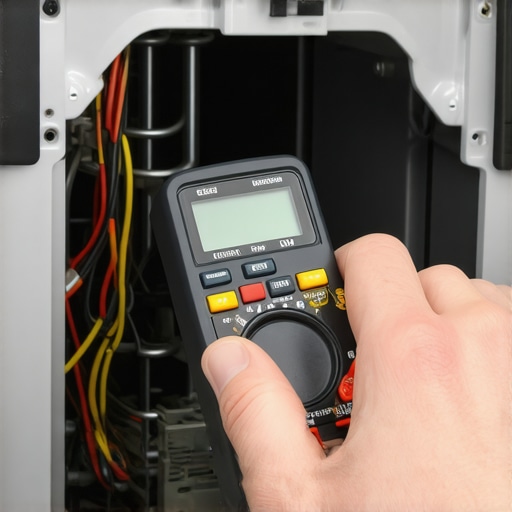
I carry a basic digital multimeter in my junk drawer—specifically a Klein Tools MM300—and it has saved me more money than my entire tool chest combined. Why? Because while the app gives you a vague ‘Error 404’ or ‘Communication Failure,’ a continuity test tells the objective truth. If you really want to get serious about troubleshooting dishwasher problems like a seasoned pro, you have to stop guessing and start measuring. I’ve seen homeowners replace entire control boards because of a ‘dead’ machine, when how to test your inlet valve with a simple voltmeter would have revealed a $25 part was the only culprit. According to the Service Manual procedures for Whirlpool’s Global Modular Platform (GMP), technicians are specifically instructed to check the Ohm resistance of the diverter motor before even looking at the main board, yet most of us go straight for the most expensive fix first.
The $20 tool that beats a $200 service call
When you have the right data, you gain leverage. I remember a neighbor who was about to give up on their Bosch because it kept throwing a heating error. By teaching him how to test the continuity of a heating element, we found that the wiring harness had simply wiggled loose during a high-vibration cycle. No parts needed. This level of self-reliance is how you ensure you’re understanding appliance diagnostics and improving your warranty claims. If you can tell the manufacturer, ‘I have 15 Ohms across the element but no voltage from the relay,’ they stop treating you like a novice and start expediting your parts.
Don’t let hard water kill your pump
We often focus so much on the ‘smart’ features that we forget the machine is still a giant bucket of water and chemicals. I’ve learned the hard way that the real cost of skipping your monthly descaling cycle isn’t just a bit of white film on your glasses; it’s the literal grinding down of your pump’s impeller. Calcium buildup acts like sandpaper. If you start hearing the specific noise that means your circulation pump is dying, you’re already in the ‘replace’ rather than ‘maintain’ phase. I always tell people that why the heavy cycle is actually better for your machines health comes down to heat; the higher temperatures help dissolve those fatty deposits that the ‘Eco’ mode leaves behind.
How do I maintain my machine’s health over the long haul?
Consistency beats intensity every time. Instead of a deep clean once a year, I do a five-minute check every first of the month. I clear the filter, wipe the door seal, and run a dedicated cleaning cycle. This is also the best time to look for the top signs your dishwasher needs professional diagnostics before a small drip becomes a kitchen-flooding disaster. If you stay ahead of the curve, you might even be able to get a manufacturer to pay for an out-of-warranty repair by proving that you followed every single maintenance step in the manual. I predict that in the next few years, we will see appliances with ‘self-healing’ software that can automatically reroute power around a failing capacitor, but for now, the multimeter and the cleaning tab are your best friends. My challenge for you: Go pull your kickplate off today and check for any signs of ‘weeping’ around the pump motor—catching it now could save your hardwood floors later.
The Bitter Truth About Being a Smart Home Early Adopter
After years of wrestling with routers and control boards, I’ve realized that the ‘smart’ in smart appliances often refers to how you manage them, not the machine itself. One of my biggest lightbulb moments was realizing that connectivity is a physical problem, not just a software one. If you are constantly troubleshooting dishwasher problems, stop looking at the app and start looking at the environment. Metal cabinets, tile backsplashes, and even your neighbors’ mesh network are all actively fighting your dishwasher’s tiny antenna.
Another lesson? Your warranty is a contract, not a promise of help. I’ve seen too many people lose out because of the truth about third party warranties and hidden deductible costs. They assume the ‘smart’ diagnostics will save them, but unless you know how to present that data, the manufacturer will find a way to pivot the blame back to your installation or detergent choice.
The No-Fluff Toolkit for Every Homeowner
If you want to move from frustrated to empowered, you only need three things in your kitchen junk drawer. First, a reliable multimeter—this is your truth-teller when the app starts lying to you. Second, always keep a digital folder of your receipts and logs; knowing why your service plan might be a waste of money often comes down to a lack of documentation during a dispute. Finally, trust the ‘hidden’ resources. That service manual tucked behind your kickplate is worth its weight in gold when you need to find the hidden loophole that gets your denied claim reversed.
#IMAGE_PLACEHOLDER_E#
Take Back Control of Your Kitchen Tech
You don’t need to be a software engineer to have a dishwasher that works every time you press ‘start.’ By combining a little bit of signal management with a lot of consistent physical maintenance, you can enjoy the benefits of modern tech without the midnight troubleshooting headaches. Don’t let a blinking blue light ruin your evening. You have the tools, the knowledge, and the data to keep your kitchen running smoothly. Have you ever had a smart feature actually save the day, or has it mostly been a digital distraction for you? Let me know in the comments!