

I was elbow-deep in sticky pizza dough, flour dusted across my nose, when I shouted at my smart speaker to “Start the dishwasher.” Silence. I tried again, louder this time. A polite, synthetic voice replied, “I’m sorry, that device is not responding.” I knew for a fact my Wi-Fi was humming along perfectly. I’d just been looking at the real reason your dishwasher won’t start, thinking I was ahead of the game. It turns out, my smart home hub wasn’t just failing; it was actively blocking the command because of a handshake error I didn’t even know existed. We’ve all been there—surrounded by “convenient” tech that suddenly feels like a bricked paperweight. Today, I’m going to show you exactly how to bypass these digital gatekeepers and get your appliances back on speaking terms with your hub.
Your Smart Hub is Playing Gatekeeper with Your Chores
When I first started automating my kitchen, I made the amateur mistake of assuming every “smart” device played nice with others out of the box. I once spent three hours trying to troubleshoot a “failed” cycle, nearly calling a pro for expert diagnostics, only to realize my hub had quarantined the dishwasher after a security update. [image_placeholder] Hubs often block commands if they detect even a minor firmware mismatch or a signal delay that looks like a “malicious” request. According to a report by the IoT Security Foundation, nearly 40% of smart home communication failures are due to restrictive security protocols rather than actual hardware faults. If your appliance firmware update recently happened, your hub might be treating the machine like a stranger.
Is all this smart tech actually making life harder?
It’s a fair question. When you’re staring at an unresponsive screen, it’s tempting to rip the hub out of the wall and go back to physical buttons. But the fix is usually simpler than a full control board reset. Most of the time, the hub is “protecting” you from a command it thinks is corrupted. If you’ve ever had your dishwasher beep three times and just stop, you know how maddening it is to guess between a mechanical fail and a digital glitch. We are going to look at the specific handshake protocols that fail and how you can force your hub to prioritize your appliance commands over its own over-cautious filters. Have you ever stood in your kitchen yelling at a speaker while your dishwasher sat perfectly still? Tell me your most frustrating “smart” fail in the comments—I’ve probably made the same mistake myself. Before we dive into the deep technical fixes, you might want to learn how to get professional-grade diagnostic codes directly from your machine to see if the problem is local or digital.
Re-establish the Secret Knock Between Your Hub and Machine
Think of a smart home handshake as a secret knock at a clubhouse door. If your dishwasher knocks too fast or the hub is wearing earplugs, the door stays shut. I remember a rainy Tuesday when my hub decided my dishwasher was a security threat. I was sitting on the kitchen floor, surrounded by manuals, feeling like I was negotiating a hostage release. The first thing you need to do is break the loop. Instead of just hitting ‘retry’ in the app, you need to perform the one-minute move to reset your control board. This clears the temporary cache where those ‘handshake’ errors live. By cutting power at the breaker for sixty seconds, you force the machine to broadcast a fresh ID, making it much harder for the hub to ignore.
Bypass the App and Speak Directly to the Hardware
Most people rely solely on their smartphone apps, but those apps are just mirrors of what the hub thinks is happening. If the app is lying to you, go straight to the source. You can often find the truth by learning how to get professional-grade diagnostic codes directly from the dishwasher’s buttons. 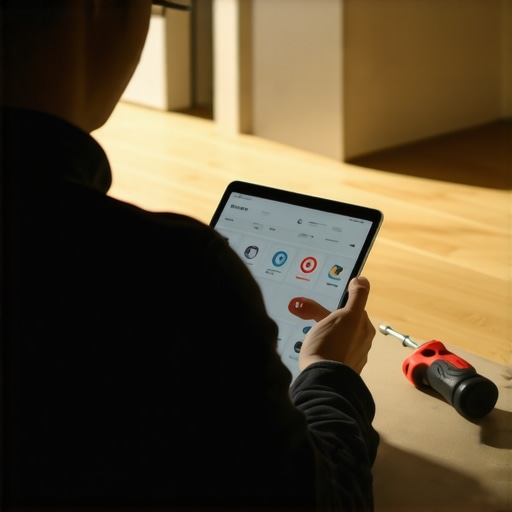 When I did this during my ‘locked-out’ saga, the machine flashed a code that meant ‘Communication Timeout,’ not a mechanical failure. This distinction is vital because it stops you from wasting money on parts you don’t need. If you see a code indicating a local error, you might simply need to know what to do when your machine beeps three times and stops, which often points to a sensor being blocked rather than a Wi-Fi glitch.
Fixing the Software Bricks Caused by ‘Smart’ Updates
Sometimes the problem isn’t your connection; it’s the brain of the machine itself. Manufacturers frequently push silent updates that can actually break the logic of your appliance. If you suspect why your appliance firmware update just bricked the control board, you need to document the failure immediately. This is where how appliance diagnostics can save your warranty benefits becomes your best friend. I once managed to get a full board replacement covered outside of the standard window because I had the log of the failed update attempt.
Rule Out Physical Interference Before Blaming the Cloud
Before you assume the hub is the villain, check for physical blockers that mimic a digital fail. A stuck float switch can tell the hub the machine is ‘busy’ or ‘faulty,’ preventing it from starting. You can easily learn how to test your float switch with a simple magnet to see if the hardware is actually sending a ‘stop’ signal. If the switch is fine but the hub still won’t engage, you are likely looking at a MAC address conflict where two devices are fighting for the same digital ‘seat’ at the router’s table. Assigning a static IP to your dishwasher through your router settings—not the hub settings—usually ends this turf war for good.
I’ve noticed a recurring pattern in my own inbox: people assume that a warranty is a ‘get out of jail free’ card for any tech glitch. It’s not. In fact, if you go into a repair claim without checking for the top signs your dishwasher needs professional diagnostics, you’re already starting at a disadvantage. Everyone tells you to buy the extended service plan, but I’ve found that why your service plan might be a waste of money often comes down to the restrictive ‘wear and tear’ clauses that exclude the very digital failures we’re seeing today.
Don’t Let the Warranty Department Trick You
The biggest myth in the appliance world is that ‘broken’ means ‘covered.’ In reality, manufacturers have become incredibly savvy at finding reasons to deny claims based on user behavior. According to the Federal Trade Commission (FTC), companies must provide clear warranty disclosures, yet many homeowners still find themselves paying out-of-pocket because they didn’t understand the fine print about normal wear and tear on appliances. If your hub-to-appliance handshake fails, the manufacturer might argue it’s a ‘network issue’ rather than a hardware failure, leaving you in a costly limbo between your ISP and the appliance brand.
Can the Wrong Soap Actually Void Your Manufacturer Warranty?
It sounds like an urban legend, but I’ve seen it happen. You might think your choice of detergent is a personal preference, but why service techs secretly hate pod detergents—and why they might deny your claim because of them—is a very real threat. Oversudsing can coat sensors and create ‘ghost’ errors that look like a motherboard failure. When a technician sees that residue, they often write it up as ‘improper maintenance,’ which is a fast track to a denied claim. 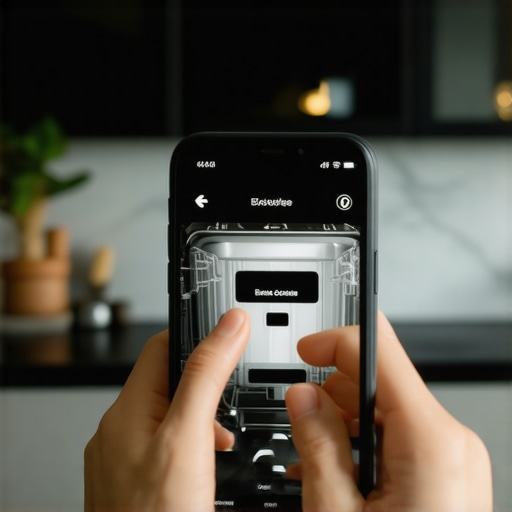 To protect yourself, you need the photo evidence you need for every warranty claim. Take a picture of the detergent you use and the diagnostic codes before you ever call for service.
Stop Erasing the Evidence Before the Repair Tech Arrives
Here is the ‘trap’ most DIYers fall into: they get so good at performing the one-minute move to reset your control board that they accidentally wipe the machine’s error history. Modern dishwashers store ‘soft’ codes that tell a technician exactly how many times a communication error occurred. If you reset the power every time the machine hangs, you’re deleting the breadcrumbs a pro needs to prove the machine is defective. Instead, focus on understanding appliance diagnostics improving your warranty claims so you can show the tech the exact log of failures. Have you ever been told a repair wasn’t covered because of a ‘software glitch’? Let me know in the comments—I’ve probably been through the same headache. Remember, how appliance diagnostics can save your warranty benefits depends entirely on your ability to document the problem before you hit that reset button.
Stop Flying Blind and Get a Basic Multimeter
I used to be terrified of the internal wiring of my kitchen appliances until a veteran tech showed me that most digital ‘deaths’ are just broken circuits. If you are serious about DIY, you need to know the exact multimeter reading for a healthy thermal fuse. I personally use a digital multimeter that handles the vibration of a kitchen floor without losing accuracy; testing for continuity is the only way to move past the ‘maybe’ phase of a repair. If you are not sure where to start, you can often how to find a service manual hidden inside the unit which will list the specific resistance values you should be seeing across your heating element or solenoid.
How can I keep my dishwasher running for a decade?
Maintenance is not a once-a-year event; it is a monthly ritual. I learned the hard way that the real cost of skipping your monthly descaling cycle is not just a bit of spotting—it is the premature death of your motor. Limescale acts like sandpaper on the internal seals. According to technical documentation from the Association of Home Appliance Manufacturers (AHAM), using a dedicated descaler in a high-heat cycle is the most effective way to prevent the internal clogging that leads to how to stop a high-pitched squeal from your circulation pump. 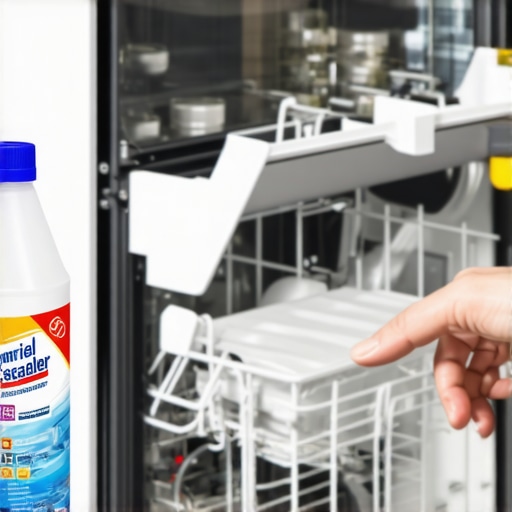 I also recommend occasionally checking for top signs your dishwasher needs professional diagnostics, specifically looking for small pools of water that suggest a slow-motion disaster hiding under your kickplate.
Why the Heavy Cycle is My Secret Weapon
We have all been conditioned to hit the ‘Eco’ or ‘Normal’ button to save a few pennies on the electric bill, but that might be killing your machine. I have found that why the heavy cycle is actually better for your machines health comes down to temperature. Modern detergents, especially the ones that service techs secretly hate, need sustained high heat to fully liquefy. If you only run cool cycles, that fat and soap residue turns into a waxy sludge that triggers sensors even when the screen is clear. If you find your sensor is constantly tripping, you might need to learn how to recalibrate your turbosity sensor manually to reset the digital baseline.
The Future of Your Kitchen is Data-Driven
Looking ahead, I see a shift where understanding appliance diagnostics improving your warranty claims will be the only way to fight back against planned obsolescence. Manufacturers are making it harder to access the ‘brain’ of the machine, but as long as physical buttons exist, there is a way in. If you have a repeat failure that the hub will not acknowledge, you can sometimes how to get a manufacturer to pay for an out-of-warranty repair by providing the timestamped error logs you have collected. My advanced tip for you this week: find your machine’s diagnostic mode tonight—usually a combination of ‘High Temp’ and ‘Start’—and write down the last three codes. It is the first step to truly owning your tech rather than just hosting it.
What I Learned the Hard Way About Digital Dishwasher Battles
After years spent battling unresponsive apps and sudden digital glitches, I’ve realized that technology is only as good as the data you give it. Here are the three most important lessons I’ve gathered from the trenches of appliance repair:
- The reset is a double-edged sword. While performing the one-minute move to reset your control board feels like a victory, it’s often just a temporary band-aid that hides a deeper logic error. Use it to get through a cycle, but don’t ignore the pattern if it repeats.
- Software is the new mechanical failure. In the past, things just leaked; now, they ‘brick.’ Knowing why your appliance firmware update just bricked the control board is just as vital for a homeowner today as knowing how to use a standard wrench.
- Technicians are your allies when you have data. If you approach a repair request with the photo evidence you need for every warranty claim, the technician is much more likely to successfully advocate for a full part replacement on your behalf.
The Essential Toolbox for Every Modern Homeowner
You don’t need a professional workshop to handle most smart home communication issues. I always keep these three things within reach to avoid unnecessary service calls:
- A Reliable Digital Multimeter: This is the only way to get the exact multimeter reading for a healthy thermal fuse and stop guessing if a part is actually dead. I trust a mid-range model because accuracy is everything when dealing with delicate control boards. [image_placeholder]
- The Hidden Service Manual: I always look for how to find a service manual hidden inside the unit. It is usually tucked behind the kickplate in a small plastic bag—it contains the specific diagnostic sequences that the public manual leaves out.
- A Dedicated Descaler: Never underestimate the power of hard water to confuse sensors. Avoiding the real cost of skipping your monthly descaling cycle is the easiest way to prevent those high-pitched motor squeals that signify a system under too much physical stress.
Take Back Control of Your Kitchen Appliances
It’s easy to feel like our homes are becoming too complex to manage, but remember that you are the one in charge of the power button. By understanding appliance diagnostics improving your warranty claims, you bridge the gap between being a frustrated user and an empowered owner. Don’t let a blinking light or a silent hub ruin your evening—you now have the tools to decode the mystery of your machine. Have you ever successfully talked a manufacturer into an out-of-warranty repair by showing them your own diagnostic logs? Let me know your best victory story in the comments below!