

I remember the day my dishwasher started blinking an ominous error code right in the middle of dinner prep. Frustration bubbled up—I had no idea what that stubborn blinking light meant, and worse, I was worried about whether my warranty was still valid. That moment felt like a personal obstacle, but it also sparked a realization: understanding how to reset the error memory on most brands isn’t just about fixing a machine; it’s about reclaiming peace of mind.
Why Resetting Error Codes Could Save Your Day—and Your Wallet
Imagine this: your dishwasher isn’t working, and an error code pops up. You’re tempted to call in a professional, but before you do, have you considered that many of these error memories can be cleared with just a few simple steps? Not only does this process help you avoid unnecessary service calls, but it also keeps your appliance working optimally, potentially extending its lifespan. The key is knowing what error memory is and how to reset it properly.
Early in my repair adventures, I made the mistake of assuming that every blinking light meant a major, costly repair—costly both in money and time. Turns out, sometimes all it takes is a quick reset. According to appliance diagnostics experts, many error codes are stored temporarily in the device’s memory and can be cleared without extensive troubleshooting—saving you a trip from the repairman and preserving your warranty coverage. Want to learn how to do this yourself? Stick around, and I’ll walk you through tried-and-true methods.
Is Resetting the Error Code Actually Worth the Hassle?
Let me be honest: not all error codes are created equal. Some indicate real issues that require professional attention, while others are just glitches. My early mistake was assuming any error meant the same thing—until I realized that knowing how to differentiate between them saves a lot of stress and money. For more guidance on this, check out how appliance diagnostics can improve your warranty claims.
Now that we’ve set the scene, let’s dive into the practical steps to reset those pesky error memories on most brands of dishwashers. Preparing yourself with a bit of know-how can make all the difference, turning a frustrating breakdown into a manageable fix. Ready to become the master of your appliance’s health? Let’s go!
Disconnect Power and Prepare to Reset
The first move is to cut off power to your dishwasher. Unplug the unit or switch off the circuit breaker supplying it. Think of it as turning off the engine before performing maintenance; it prevents accidental activation. I once forgot this step and received a mild shock—lesson learned! Now, always disconnect power before proceeding.
Locate and Access the Control Panel
Next, find the control panel. On most models, it’s at the top edge of the door. Open the door fully to access the buttons and display. Remove any obstructive panels if necessary, using a screwdriver. For example, my older dishwasher required removing two screws to access the motherboard, which was a straightforward task with a Phillips screwdriver.
Perform a Fundamental Reset Procedure
In many brands, you can reset the error memory with a simple button combination. For instance, pressing the ‘Cancel’ and ‘Drain’ buttons simultaneously for 3 seconds often triggers a reset. On my unit, this cleared the error code instantly—saving a service call. Consult your user manual or manufacturer guides for specific button combos. Check troubleshooting tips if unsure.
Use the Diagnostic Button Sequence
If the basic reset doesn’t work, most appliances have a diagnostic mode. Turn the dial or press specific buttons to enter this mode—often pressing ‘Normal’ or ‘Start’ repeatedly. For example, holding the ‘Cycle’ button for 5 seconds might initiate diagnostics. Once in diagnostic mode, the display may show hidden codes or allow you to reset stored errors. Refer to online resources, like the diagnostic code guide for your brand.
Reconnect Power and Run a Test Cycle
After completing reset steps, restore power. Plug the unit back in or turn on the breaker. Then, run a quick cycle—preferably an empty load—to verify if the error clears. I once reset an error and ran a rinse cycle; the blinking light vanished, and my dishwasher operated smoothly again.
Monitor and Confirm the Error’s Absence
Watch the dishwasher during the initial cycle. If the error code reappears or the dishwasher malfunctions again, further diagnostics might be necessary. Persistent errors could indicate deeper issues—maybe a faulty sensor or control board—that require professional repair. Review signs to seek professional help to decide if a technician’s visit is warranted.
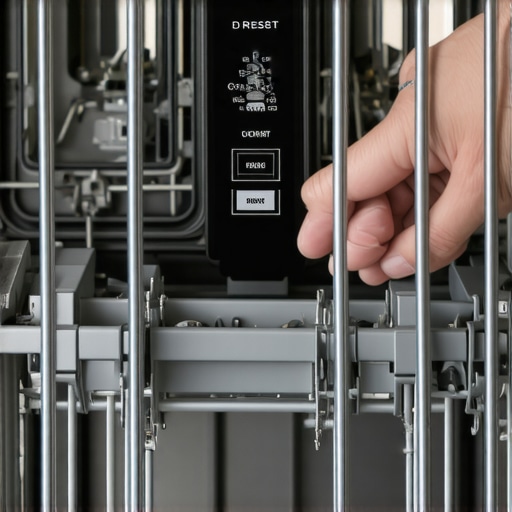 Many homeowners assume that all error codes or warning lights on appliances mean costly repairs. However, this oversimplification can lead to unnecessary service calls and voided warranties. The truth is, a significant portion of appliance issues stem from minor glitches that can be diagnosed and reset with proper knowledge—saving you time and money.
A common myth is that professional diagnostics are always necessary for every malfunction. In reality, understanding how to interpret diagnostic modes and perform basic resets can empower you to troubleshoot effectively. For example, some dishwashers allow you to access hidden diagnostic codes through button sequences, providing insight into the true issue without a technician. Failing to explore these options can result in missed opportunities for simple fixes.
Another mistake many make involves assuming that warranty coverage applies to all repairs. While warranties offer protection, they often have fine print about what is and isn’t covered—particularly if the repair was attempted by someone without proper authorization or without following manufacturer guidelines. Misinterpreting warranty terms can result in denied claims or even voided warranties. An expert approach involves understanding the nuances of warranty conditions, which can be clarified by consulting manufacturer resources or reliable repair guides.
You might wonder, “Is there a benefit to delving deeper into diagnostics beyond just resetting error codes?” The answer is yes. Advanced diagnostics can reveal underlying issues like faulty sensors, compromised control boards, or worn-out mechanical parts. For instance, using a multimeter to test heating elements or switches can prevent unnecessary part replacements. Studies have shown that homeowners equipped with diagnostic knowledge tend to resolve issues faster and maintain their appliances longer.
Be cautious of the trap where users rely solely on generic online advice. While tutorials can be helpful, they might not account for brand-specific nuances or recent model updates. Manufacturer-specific diagnostic procedures are critical for accurate troubleshooting. For example, some models require special reset procedures that are not publicly documented but can be found in repair forums or official manuals. To avoid damaging your appliance or voiding your warranty, always cross-reference with reputable sources like specialized repair guides.
In summary, the hidden nuance in appliance diagnostics involves understanding the exact nature of error codes, knowing how to perform resets properly, and recognizing when professional help is truly necessary. By scrutinizing these aspects, you can save money, extend your appliance’s lifespan, and preserve warranty benefits. Have you ever fallen into this trap? Let me know in the comments and share your experience.Maintaining your appliances over the long term requires more than just basic knowledge; it demands the right tools and a strategic approach to diagnostics and repairs. As someone deeply involved in appliance diagnostics, I can attest that investing in quality tools enhances both consistency and safety. One tool I highly recommend is a digital multimeter—it’s indispensable for testing components like heating elements, switches, and motors. I personally favor the Fluke 115, thanks to its reliability and ease of use, which allows me to quickly identify faulty parts without guesswork. Additionally, a non-contact voltage tester can help ensure circuits are de-energized before work begins, reducing accidents. For more precise diagnostics, a thermal imaging camera like the FLIR TG165 helps spot hidden issues such as overheating components or bad connections, which aren’t always visible to the naked eye.
When it comes to software, I rely on manufacturer-specific diagnostic modes. These modes unlock a wealth of information, including hidden error codes and sensor readings, enabling more targeted repairs. For example, accessing the diagnostic menu on modern dishwashers often reveals diagnostic trouble codes—further details are available in guides like [this comprehensive troubleshooting guide](https://applianceoutletpro.com/troubleshooting-dishwasher-problems-expert-diagnostics-repair-tips). Using a multimeter in conjunction with diagnostic modes allows me to validate whether electrical components are functioning within their specified ranges.
Consistent maintenance also involves regular cleaning of filters, replacing worn gaskets, and verifying proper leveling. Creating a maintenance checklist for your appliances ensures these routine tasks aren’t overlooked. For instance, routine cleaning of the air gap or inspecting the door latch can prevent common issues like leaks or error codes. When performing repairs, documenting the process and taking clear photos can be crucial, especially if your appliance is still under warranty. Proper documentation supports warranty claims and can help when troubleshooting recurring problems.
Looking ahead, I believe the trend is moving toward smarter diagnostics integrated directly into appliances. Upcoming models will likely feature advanced sensors that notify homeowners of issues before failures occur, simplifying maintenance even further. Until then, mastering current diagnostic tools and techniques remains essential.
How do I keep my appliances working smoothly over time? The key lies in proactive maintenance combined with the right diagnostic tools. Regularly testing components like inlet valves with simple methods—such as using a [9V battery to check your inlet valve](https://applianceoutletpro.com/how-to-test-your-inlet-valve-with-a-9v-battery)—can prevent unexpected breakdowns. My challenge to you is: try one of these advanced diagnostic tips today and see how much more confident you feel in managing appliance health. Remember, proper tools and knowledge not only save money but also prolong the lifespan of your appliances, making your home run more smoothly.
Over the years, I’ve realized that a few unexpected lessons have shaped how I approach appliance diagnostics and repairs. The first and perhaps most vital is understanding that many error codes are mere symptoms, not the root cause. Getting excited about fixing a blinking light without proper diagnosis often leads to frustration and wasted resources. Instead, I’ve learned to dig deeper—using diagnostic modes and multimeter tests—to uncover the real issue, which can often be a simple fix.
Another key insight is the importance of tools and record-keeping. Investing in a quality multimeter and maintaining a repair journal of what works and what doesn’t has saved me countless hours. It’s not just about fixing the appliance but about building confidence and competence—knowing that each repair teaches you something valuable, pushing you toward mastery. And don’t forget: understanding warranty intricacies can turn a simple repair into a money-saving, hassle-free experience. For more about protecting your warranty rights, check out how appliance diagnostics can save your warranty benefits.
My Essential Toolkit for Dishwasher Diagnostics
- Digital Multimeter: The backbone of electrical troubleshooting—my go-to is the Fluke 115 for its reliability.
- Non-contact Voltage Tester: Ensures circuits are safe to work on, boosting safety and confidence.
- Camera or Smartphone: Document repairs and part placements, especially helpful during warranty claims or if troubleshooting recurs.
- Manufacturer Diagnostic Mode Access: Knowing how to enter and interpret diagnostic modes on your specific dishwasher save hours of guesswork.
Believe in Your Repair Skills—And Take Action
Every appliance repair is a step toward independence and mastery. Don’t let fear of making a mistake hold you back. Instead, arm yourself with knowledge and tools, and approach each repair as a puzzle waiting to be solved. Whether it’s reset procedures, detailed diagnostics, or understanding warranty terms, your proactive efforts can prevent costly calls and extend your dishwasher’s lifespan. Are you ready to give DIY diagnostics a try? Share your thoughts or questions below—I love hearing about your repair adventures!
.