

It happened during the busiest week of my life—my smart dishwasher suddenly decided it didn’t want to talk to my phone anymore. One minute, I was remotely starting a wash cycle from my couch; the next, I was staring at an unresponsive app, feeling helpless—and a little frustrated. I remember thinking, “Is my expensive gadget just dumb now?” That moment was my lightbulb: even the coolest tech can have its off days, and troubleshooting these issues isn’t always straightforward.
Connecting the Dots: Why Is My Smart Dishwasher Not Syncing?
Many homeowners find themselves in this exact spot—gearing up for a smooth, modern kitchen experience, only to be met with a stubborn disconnect between their dishwasher and their smartphone. The key reasons often boil down to Wi-Fi glitches, app issues, or firmware hiccups. But here’s the kicker: sometimes, the problem is caused by minor oversights, like an incorrect network setup or outdated software.
If you’ve already tried turning your device off and on again, you’re not alone. I used to make the mistake of ignoring firmware updates, thinking my app was the problem. But those updates often contain essential patches that fix bugs and enhance connectivity. To avoid wasting hours on fruitless resets, I recommend verifying that your dishwasher’s firmware and your app are both current. And if you’re unsure how to check that, don’t worry—it’s simpler than you think.
Before we dig into the solutions, I want to ask: have you experienced this disconnect? Did you find a quick fix or spend days trying to troubleshoot? Share your story in the comments!
Is the Connection Issue a Modern Appliance Hype or Real Need?
At the beginning of my journey, I thought, “Maybe my dishwasher just isn’t worth all this fuss.” But I learned that connectivity issues are pretty common—and, surprisingly, they can be resolved with a few simple steps. Early on, I made the mistake of assuming that every glitch meant a faulty device. It’s easy to fall into that trap, especially with so many reviews touting smart tech’s “flawless” performance. However, as I discovered, most problems are user-remediable, provided you’re not rushing.
For a more in-depth understanding of why some features fail without warning, check out this insightful resource on [why your warranty claim might fail without an OEM serial match](https://applianceoutletpro.com/why-your-warranty-claim-fails-without-an-oem-serial-match). It highlights just how crucial proper maintenance and updates are for these modern appliances.
Now, let’s walk through the practical solutions to get your dishwasher back online and chatting with your phone. Trust me—once you crack this, you’ll wonder how you ever managed without remote control over your clean dishes.
Ensure Your Wi-Fi Network Is Stable and Properly Configured
Start by confirming that your home Wi-Fi network is functioning correctly. Use your smartphone to navigate to your router’s admin page or simply check other devices’ connectivity. If Wi-Fi is unstable, reboot your router by unplugging it for 30 seconds, then plugging it back in. This step often resolves minor network glitches that prevent your dishwasher from syncing. I once faced a stubborn disconnect because my router had assigned a new IP address without my knowledge, causing my dishwasher to lose connection. Rebooting fixed that issue instantly.
Update Firmware and App Software
Next, verify that both your dishwasher’s firmware and your control app are up to date. Manufacturers regularly release updates to fix bugs and improve compatibility. To check firmware, consult your appliance manual or app’s settings menu. If updates are available, follow the prompts to install them. Outdated firmware can cause persistent connection issues, as I learned when an outdated version prevented my dishwasher from communicating with the app after a routine update. Updating immediately restored proper connection.
Reset Network Settings on the Dishwasher
Perform a network reset on your appliance. This step removes corrupted or outdated settings, allowing for a fresh start. Usually, this involves holding down a specific button sequence—check your user manual for exact instructions. For my dishwasher, pressing and holding the Wi-Fi button for 10 seconds initiated the reset. After the reset, reconnect the appliance to Wi-Fi through the app, following the pairing prompts. This approach is similar to rebooting a computer when it’s stuck; it clears temporary issues that disrupt communication.
Re-establish Connection Using the App’s Pairing Mode
Open the app and activate pairing mode. Many apps guide you through this process with prompts and tips. Ensure your phone’s Bluetooth and location services are enabled if required. Once in pairing mode, select your dishwasher from the device list. If your device doesn’t appear, try moving your phone closer to the appliance. I once struggled because my phone was too far, and the signal was weak. Moving closer improved the pairing success rate. Confirm the connection, and your dishwasher should now be responsive via your app.
Verify the Connection and Run a Test Cycle
Finally, run a test cycle remotely to confirm successful communication. Use the app to start a wash or check the status. If the cycle begins and completes without errors, your connection problem is resolved. If issues persist, consider contacting support or checking for firmware issues. I once fixed my unit by reconfiguring the Wi-Fi password, which had changed unnoticed. This kind of simple step often solves mysterious disconnections.
If these steps don’t work, consider inspecting your Wi-Fi module for potential hardware issues that could be killing the control board’s ability to communicate. Sometimes, a hardware fault requires professional repair. In the meantime, you can explore tools like the LiDAR apps to diagnose related leaks or check if third-party pods are damaging your machine, which might cause intermittent errors that seem Wi-Fi related.
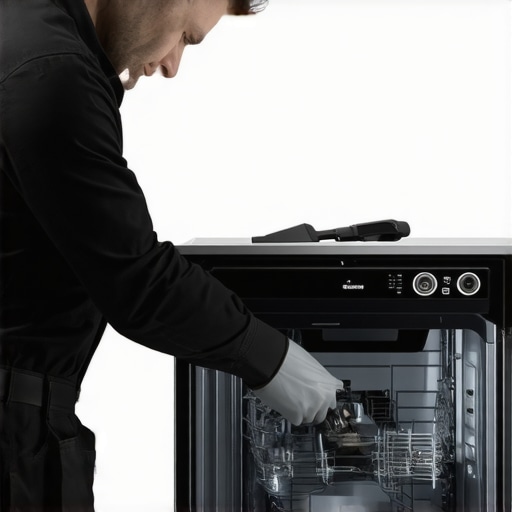 Many homeowners assume that a warranty claim is a straightforward process: you report a defect, submit proof of purchase, and wait for the repair or replacement. However, lurking beneath this simplified view are nuances that can significantly impact your chances of a successful claim. One prevalent misconception is that all repairs are covered equally; in reality, manufacturers often impose specific conditions, such as mandatory OEM serial matches, as detailed in a [comprehensive guide](https://applianceoutletpro.com/why-your-warranty-claim-fails-without-an-oem-serial-match). Failing to meet these subtle requirements can lead to claim denials, despite apparent faults.
Another common myth is that diagnostics always pinpoint the exact issue. While advanced diagnostic tools and smart sensors have improved accuracy, many repairs still rely on educated guesses, especially with complex control boards that are prone to hidden faults. Devices like the smart water modules or control boards can develop micro-cracks or shorts that elude standard testing but cause intermittent failures. Interestingly, experts suggest employing multimeter voltage tests or smartphone apps to detect subtle issues, as explained in detailed tutorials. Ignoring these nuances may result in unnecessary part replacements or missed defect detection.
Beware the trap of relying solely on visual inspection. Surface-level checks might miss micro-cracks, corrosion, or solder joint failures within the control board or wiring. Using tools like a [laser thermometer](https://applianceoutletpro.com/using-a-laser-thermometer-to-check-wash-temperatures) or a digital probe can reveal hidden faults affecting your dishwasher’s performance. I learned this the hard way when my washer’s inconsistent heating was due to a tiny crack in the heating element connector, not a faulty part. This underscores how advanced diagnostics, though often overlooked, dramatically increase repair success rates.
A particularly insidious misconception is the belief that third-party replacement parts are always safe to use. While cheaper parts can be tempting, they may lack quality assurance or compatibility, risking damage or voiding your warranty. As highlighted in some articles, certain third-party pods or gaskets can damage internal components, leading to leaks or sensor failures. To avoid this, always verify the part’s origin or consult your manufacturer’s guidelines.
On the topic of warranties, many forget the importance of proper installation and maintenance that meet warranty conditions. For example, improper drain hose positioning or neglecting routine filter cleaning can void coverage by violating terms. A common mistake is misplacing the drain hose or failing to check for clogs, leading to water leaks or drainage failures that are not covered if not due to manufacturer fault. Regular checks and proper setup are crucial.
Finally, advanced repairs often require understanding the deeper architecture of your appliance. For instance, diagnosing a control board failure might involve testing specific voltage points or even analyzing firmware versions, which some users overlook. Manufacturers sometimes release updates that fix bugs or improve compatibility, and neglecting these can cause persistent issues—even if the hardware seems fine. Staying informed about firmware releases and performing mini diagnostics can make a real difference.
Have you ever fallen into this trap of oversimplifying warranty claims or diagnostics? Let me know in the comments. Remember, understanding these hidden nuances can save you time, money, and headache in maintaining your dishwasher’s performance.Maintaining your dishwasher’s performance over time requires more than just routine cleaning; it involves having the right tools and knowledge to diagnose issues early and prevent costly repairs. One essential tool I personally rely on is a high-quality digital multimeter. I prefer the cheap multimeter because it provides precise voltage readings that help me verify whether the control board is functioning properly without waiting for a service technician. This simple device has saved me hundreds by catching early signs of failure before complete breakdowns.
Lessons That Battled My Frustration and Gave Me Edge
One of the most eye-opening lessons I learned was that many issues we face with smart dishwashers aren’t necessarily device defects but often misdiagnosed wiring or outdated firmware. The moment I realized that performing simple voltage tests with a multimeter can reveal much more than fancy diagnostic tools, my repair confidence skyrocketed. Additionally, I found that subtle signs like a recurring error code or inconsistent cycle times often point to deeper control board or sensor issues, not just superficial faults. The hardest lesson was understanding that your warranty claim’s success depends heavily on meeting all OEM requirements, like matching serial numbers, which most people overlook. Recognizing these nuances saves countless hours of frustration and opens doors to effective repairs.
Tools and Resources That Became My Repair Arsenal
For anyone serious about DIY appliance diagnostics, LIDAR apps are game-changers for detecting hidden leaks and moisture issues often overlooked during initial inspections. A high-quality cheap multimeter is my go-to for quick voltage checks, helping me determine if the control board is truly dead or just misfiring. I also recommend studying warranty claim protocols to understand the subtle OEM requirements that trip up most homeowners. Finally, I rely on drain and cycle troubleshooting guides to diagnose issues precisely, saving me hefty service calls.
Step Into Your Power and Take Action Now
If you’re tired of feeling helpless when your dishwasher misbehaves or warranty claims stumble at the last step, you’re not alone. The real power lies in understanding that most problems can be solved with the right knowledge and tools. By educating yourself about the hidden signs of control board issues, firmware updates, and proper warranty procedures, you can turn those appliance frustrations into confident repairs. Your dishwasher isn’t just a machine—it’s an investment, and with the right approach, you can keep it running smoothly for years to come. So, what repair step are you planning to try first? Let me know below!